Broadcaster for VisionRGB1.0
Publisher Description
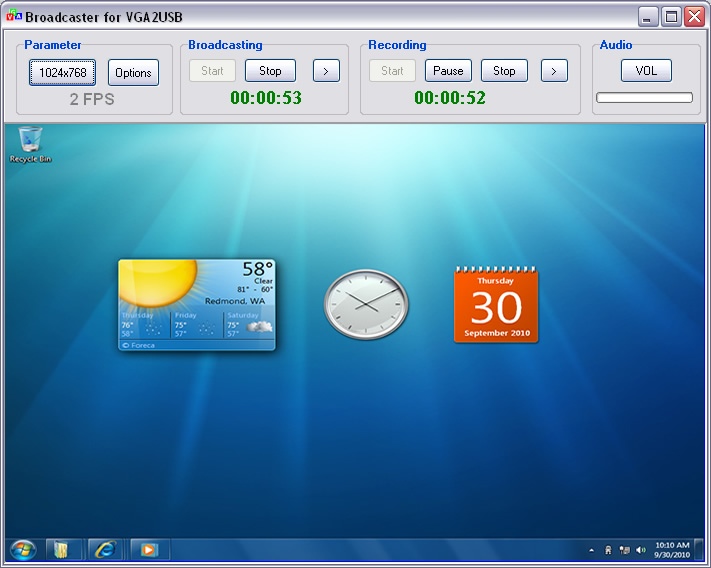
Broadcaster for VGA2USB is a screen capture, broadcasting recording software tool for Epiphan device VGA2USB. It can capture external VGA signal - such as a Windows PC, a Macintosh OSX, a Unix machine, an embedded system, a medical device, scientific or lab equipment, and more.
A compact portable presentation broadcast solution that is ideal for podcasting, web seminar, and lecture broadcasting applications in the training, education, conference room, and medical sectors. Using Microsoft WMV9/Screen-9 compression, the Broadcaster lets you broadcast any VGA and audio source over a local area network (LAN) or the Internet.
Key Features
* Support Epiphan device: VGA2USB
* Capture output from any VGA signal: 640x480 to 2048x2048
* Broadcasting VGA signal over the LAN or internet
* MMS-HTTP Streaming
* Recording to WMV file (Windows Media Video)
* WMV-9/WMV-HD codec
* Microsoft Screen 9 codec, more lower bandwidth
* MP3 Audio codec, 32K~128K bps
* Using Windows Media Player to playback file
* Using IE to watch web broadcasting
* Very easy to use
* One year free upgrade
About Broadcaster for VisionRGB
This Screen Capture program is available in English. It was last updated on 29 September, 2026. Broadcaster for VisionRGB is compatible with the following operating systems: Windows.
The company that develops Broadcaster for VisionRGB is WebVGA Software Inc.. The latest version released by its developer is 1.0. This version was rated by 3 users of our site and has an average rating of 5.0.
The download we have available for Broadcaster for VisionRGB has a file size of 2.1 MB. Just click the green Download button above to start the downloading process. The program is listed on our website since 2011-03-01 and was downloaded 255 times. We have already checked if the download link is safe, however for your own protection we recommend that you scan the downloaded software with your antivirus. Your antivirus may detect the Broadcaster for VisionRGB as malware if the download link is broken.
How to install Broadcaster for VisionRGB on your Windows device:
- Click on the Download button on our website. This will start the download from the website of the developer.
- Once the Broadcaster for VisionRGB is downloaded click on it to start the setup process (assuming you are on a desktop computer).
- When the installation is finished you should be able to see and run the program.
Program Details
System requirements
Download information
Pricing
Version History
version 1.0
posted on 2011-03-01
First Release
